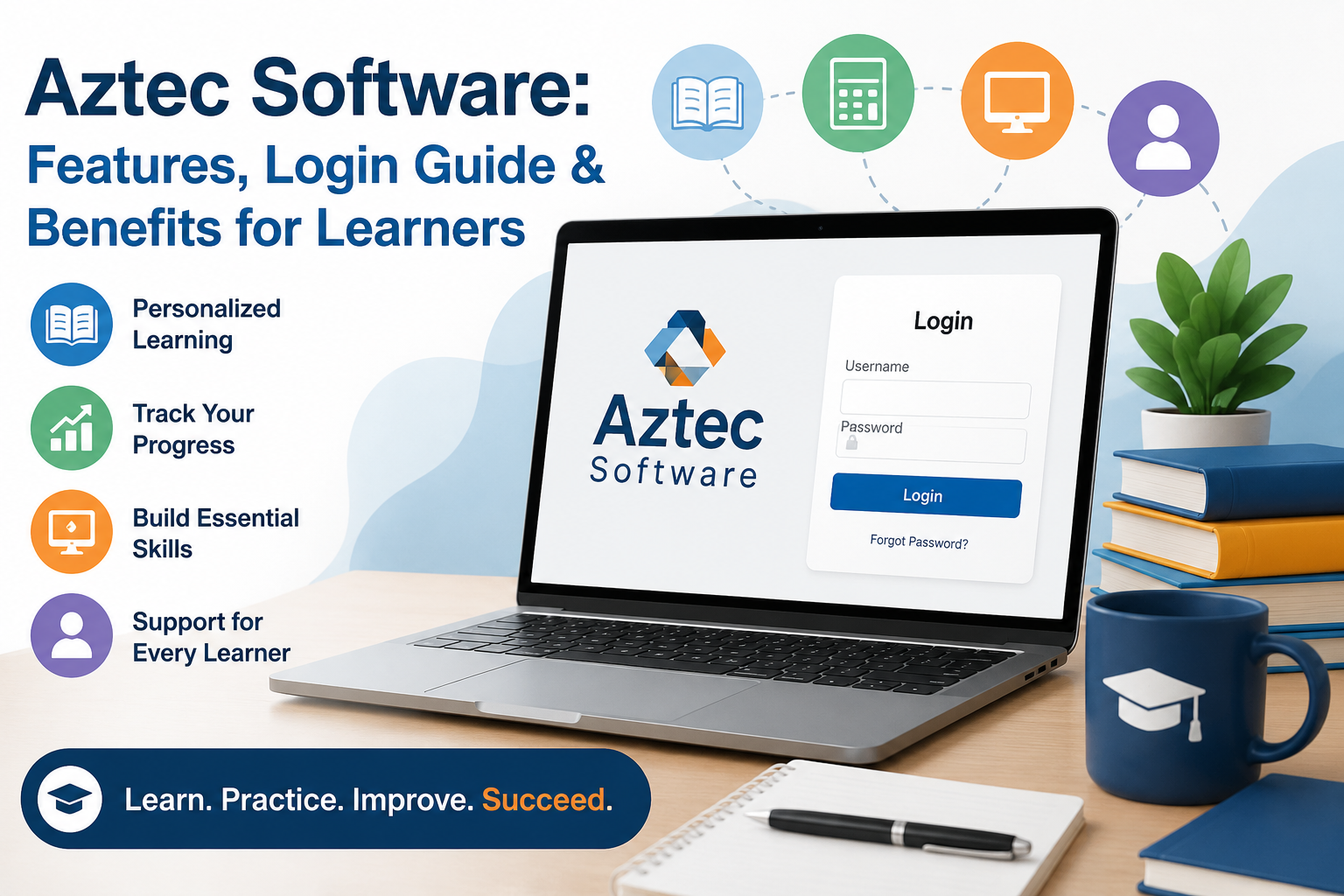
One student wants to improve their reading skills before applying for a new job. Another is preparing for a high school equivalency exam, while someone else simply wants to become more confident using a computer. Teaching all of these learners in exactly the same way isn’t easy, and that’s where digital learning platforms have become incredibly valuable.
One platform that has been helping educational institutions for years is Aztec Software.
Unlike many learning apps that focus on flashy designs or short video lessons, Aztec Software is built with a different purpose. It provides structured learning paths that help people strengthen essential academic and workplace skills at a pace that suits them. Whether someone needs help with reading, writing, mathematics, or career readiness, the platform offers guided lessons that make learning more manageable.
Today, Aztec Software is used by community colleges, workforce development programs, adult education centers, correctional education systems, and other organizations that want to provide practical, skill-based learning.
In this guide, you’ll learn what Aztec Software is, how it works, its key features, how to log in, who can benefit from it, and why it continues to be a trusted learning platform despite the growing number of modern educational apps.
What Is Aztec Software?
Aztec Software is a digital learning platform developed to help learners improve foundational academic and workplace skills through structured, self-paced instruction. Rather than focusing on advanced university-level subjects, the platform is designed to strengthen the core skills people need to succeed in education, employment, and everyday life.
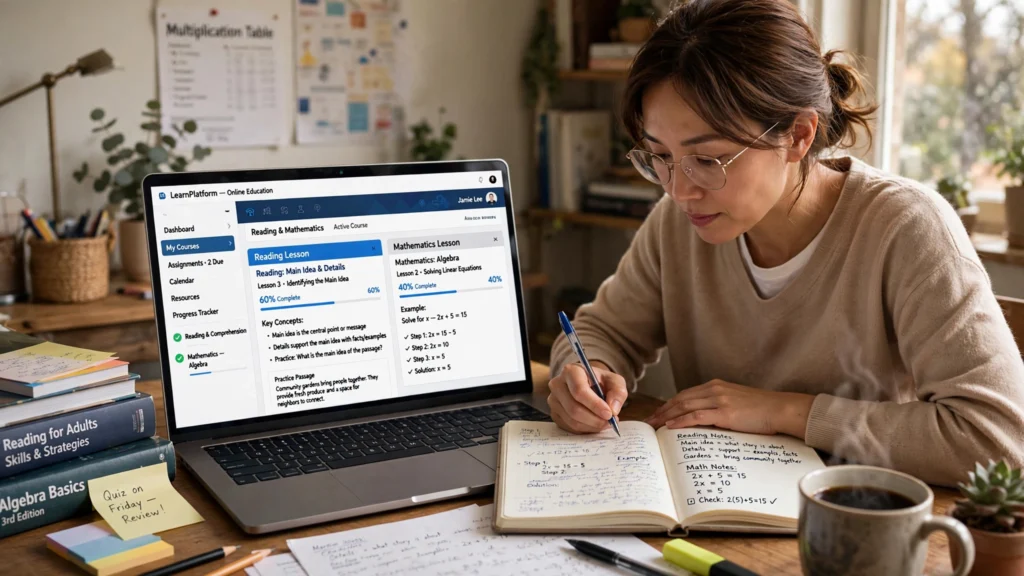
Lessons are organized into manageable modules that combine interactive activities, assessments, quizzes, and progress tracking. This approach allows learners to study independently while giving instructors a clear view of each student’s performance.
Depending on the educational program, learners may use Aztec Software to improve skills such as:
- Reading comprehension
- Writing and grammar
- Basic mathematics
- Digital literacy
- Workplace communication
- Career readiness
- High school equivalency (GED®) preparation
Unlike consumer learning apps that anyone can download, Aztec Software is typically licensed to educational institutions and workforce training organizations. Students usually receive their login credentials directly from their school, college, or training provider.
This institutional approach ensures that instructors can monitor learner progress, assign coursework, and provide additional support whenever necessary.
Why Educational Institutions Choose Aztec Software
Teaching a classroom where every learner has different abilities is never easy.
Some students learn quickly and are ready to move forward after a single lesson. Others may need additional practice before they fully understand a concept. Using the same teaching method for everyone often leaves one group feeling bored while another feels overwhelmed.
Aztec Software addresses this challenge by creating personalized learning experiences based on individual progress.
Instead of asking every learner to complete identical lessons, the platform identifies strengths and weaker areas through assessments. From there, learners receive activities that match their current skill level, allowing them to improve gradually without unnecessary pressure.
For instructors, this personalized approach makes it much easier to support an entire classroom without creating separate lesson plans for every student.
A Real-World Example
Consider an adult learner named Maria who recently enrolled in a workforce development program.
After completing her initial assessment, the platform identifies that her reading skills are strong, but her mathematical reasoning needs improvement.
Rather than repeating reading lessons she already understands, Aztec Software recommends additional math exercises while allowing her to continue progressing in other subjects.
After several weeks of consistent practice, Maria gains enough confidence to complete more advanced lessons without feeling discouraged.
This type of personalized learning experience is one of the main reasons educational institutions continue investing in structured learning platforms instead of relying solely on traditional teaching methods.
Expert Observation: Instructors often find that learners stay motivated longer when they can clearly see their progress. Even small achievements, such as completing a module or improving a quiz score, can encourage students to remain consistent with their studies.
Key Features of Aztec Software
Every educational platform claims to improve learning, but practical features are what truly make the difference.
Aztec Software focuses on helping learners build confidence through structured lessons, measurable progress, and personalized support rather than relying on flashy visuals or unnecessary tools.
Let’s explore the features that have made it a trusted choice for educational institutions.

Personalized Learning Paths That Adapt to Each Learner
One of the biggest strengths of Aztec Software is its ability to adapt to individual learning needs.
In a traditional classroom, every student often follows the same lesson plan. While that approach works for some learners, it can be challenging for those who need extra support or who are ready to move ahead more quickly.
Aztec Software takes a more flexible approach.
After a learner completes an initial assessment, the platform evaluates their current skill level and recommends lessons based on their performance. Instead of repeating topics they already understand, learners spend more time strengthening areas where improvement is needed.
This personalized learning path helps students stay engaged because the lessons feel relevant to their own goals rather than following a one-size-fits-all curriculum.
For educational institutions, this also makes it easier to support classrooms where learners have different backgrounds and skill levels.
Real-Life Example
Imagine two students joining the same adult education program.
Ahmed has strong reading skills but struggles with basic algebra. Sarah understands mathematics well but finds reading comprehension difficult.
Rather than asking both learners to complete identical lessons, Aztec Software creates separate learning paths based on their assessment results.
Ahmed receives additional math exercises, while Sarah spends more time improving her reading skills.
Both learners continue progressing at their own pace, making the learning experience more productive and less frustrating.
Expert Insight: Personalized learning has become increasingly important because adult learners often return to education with very different experiences. Giving everyone the same material rarely produces the best results.
Structured Learning Modules
Learning becomes much easier when information is presented in small, manageable sections.
Instead of overwhelming learners with lengthy chapters or complicated coursework, Aztec Software divides subjects into focused modules that build knowledge gradually.
Depending on the educational program, learners may study topics such as:
- Reading comprehension
- Writing and grammar
- Basic mathematics
- Workplace communication
- Digital literacy
- Career readiness
- GED® preparation
Each lesson builds on previous knowledge, helping learners gain confidence before moving on to more advanced concepts.
This step-by-step approach is especially valuable for people returning to education after several years away from the classroom.
Progress Tracking That Keeps Learners Motivated
Many people stay motivated when they can clearly see how much they have improved.
Aztec Software includes progress tracking tools that help both learners and instructors monitor performance throughout the course.
Students can usually view:
- Completed lessons
- Assessment scores
- Learning milestones
- Skills mastered
- Overall course progress
Instead of wondering whether they’re making progress, learners can see measurable improvements over time.
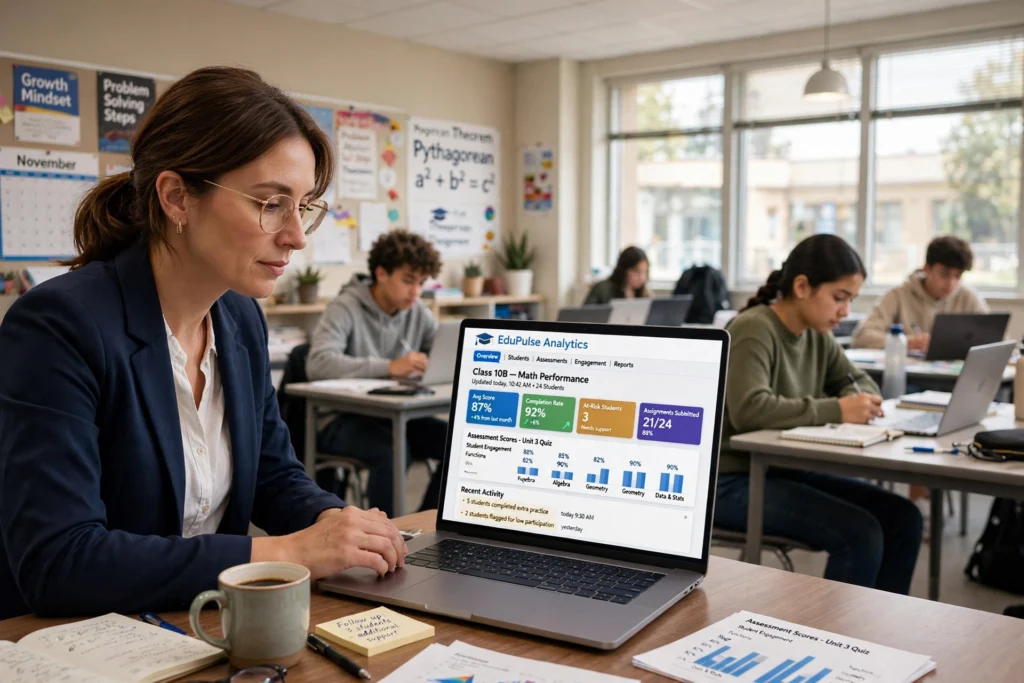
For instructors, these reports provide valuable insights into which students may need additional support before they fall behind.
This data-driven approach helps create more effective learning plans while reducing the amount of manual tracking teachers need to do.
Practical Example
A community college instructor is responsible for teaching more than 40 adult learners.
Without digital reporting, reviewing every assignment manually would take hours each week.
Using Aztec Software, the instructor can quickly identify students who are struggling with mathematics or reading comprehension and provide additional support before the next assessment.
This not only saves time but also improves learning outcomes for the entire class.
Expert Observation: Progress reports aren’t just useful for teachers. Many learners become more confident when they can actually see their improvement over several weeks instead of relying only on test results.
Self-Paced Learning for Busy Schedules
Not everyone has the same daily routine.
Some learners study after work, while others balance education with family responsibilities.
Aztec Software supports self-paced learning, allowing students to complete lessons whenever their schedule permits.
This flexibility makes the platform particularly useful for:
- Working professionals
- Adult learners
- Parents
- Job seekers
- Workforce training participants
Instead of feeling pressured to keep up with a classroom schedule, learners can spend extra time on difficult topics and move more quickly through lessons they already understand.
For many adult learners, this flexibility is one of the platform’s biggest advantages.
A Simple Interface That Focuses on Learning
Many educational platforms include dozens of menus, settings, and unnecessary features that can confuse new users.
Aztec Software takes a simpler approach.
Its interface is designed to help learners focus on education rather than spending time figuring out how the platform works.
Navigation is generally straightforward, making it easier to:
- Access assigned lessons
- Continue previous activities
- Complete quizzes
- Track progress
- Review completed modules
While the design may not look as modern as some newer learning platforms, its simplicity is often appreciated by adult learners who prefer a distraction-free environment.

Aztec Software Plus: Is It Different from the Standard Version?
While researching this platform, you may also come across Aztec Software Plus. At first glance, it sounds like a completely different product, but that’s not really the case.
Think of it as an upgraded version of the standard platform.
The core learning experience remains almost the same. Learners still access interactive lessons, complete quizzes, and track their progress. The biggest difference is that the Plus version offers additional management and reporting tools for educational institutions.
In simple words, students may not notice a huge difference, but instructors and administrators often do.
For schools, colleges, and workforce development organizations, these additional tools make it easier to manage large groups of learners and monitor overall performance.
Aztec Software vs. Aztec Software Plus
| Feature | Aztec Software | Aztec Software Plus |
|---|---|---|
| Reading & Math Lessons | Yes | Yes |
| Personalized Learning | Yes | Yes |
| Student Dashboard | Yes | Yes |
| Instructor Reports | Basic | Advanced |
| Learning Analytics | Standard | Detailed |
| Course Management | Limited | More Flexible |
| Institution Controls | Standard | Enhanced |
Although the Plus edition includes additional administrative features, learners can still build strong foundational skills using either version.
For most students, the quality of instruction matters far more than the version of the software they’re using.
Expert Insight
Many educational institutions choose the Plus version because detailed analytics help instructors identify struggling learners much earlier.
Instead of waiting until final exams, teachers can see learning gaps as they develop and provide support before students fall behind.
This proactive approach often leads to better learning outcomes.
How to Access Aztec Software
Unlike many online learning platforms, Aztec Software isn’t designed for public registration.
In most cases, you’ll receive access through your school, college, workforce development program, or adult education center.
If you’re using the platform for the first time, the login process is fairly straightforward.
1: Receive Your Login Credentials
Your instructor or program coordinator will normally provide:
- Username
- Password
- Official login portal
Keep these details somewhere safe because you’ll need them whenever you access your courses.
2: Open the Official Login Page
Always use the login link provided by your educational institution.
Avoid clicking unofficial websites that appear in search results, as they may not be associated with your learning program.
3: Sign In
Enter your username and password carefully.
If this is your first login, the system may ask you to change your temporary password before accessing your dashboard.
4: Start Learning
After signing in successfully, you’ll usually see:
- Assigned courses
- Completed lessons
- Learning progress
- Upcoming activities
- Instructor announcements
From here, you can continue learning whenever it suits your schedule.
Practical Example
Imagine a student enrolled in an evening workforce training program.
Instead of attending extra classroom sessions every day, they log into Aztec Software after work, complete one or two lessons each evening, and gradually build their skills over several months.
This flexibility is one of the biggest reasons online learning platforms continue to grow in popularity.
Common Login Problems (and Simple Fixes)
Even reliable learning platforms occasionally experience login issues.
Fortunately, most problems can be solved within a few minutes.
| Problem | Possible Cause | Solution |
|---|---|---|
| Incorrect password | Typing mistake | Reset your password or check Caps Lock |
| Account locked | Multiple failed attempts | Wait a few minutes or contact your administrator |
| Login page won’t load | Browser or internet issue | Refresh the page or try another browser |
| No access | Account hasn’t been activated | Contact your institution |
Expert Tip
Before contacting technical support, try logging in using another browser or clearing your browser’s cache.
Many login issues are caused by stored browser data rather than the platform itself.
Benefits of Using Aztec Software
Educational technology should do more than simply deliver lessons—it should make learning easier, more engaging, and more effective. That’s where Aztec Software stands out. Instead of overwhelming learners with unnecessary features, it focuses on helping them build practical skills that can be used in everyday life, further education, and the workplace.
Here are some of the biggest advantages of using the platform.
Learn at Your Own Pace
Not everyone learns at the same speed.
Some students grasp new concepts quickly, while others need additional practice before moving on. Aztec Software allows learners to progress at a pace that feels comfortable for them instead of trying to keep up with an entire classroom.
This flexibility is especially valuable for adult learners balancing education with work, family, or other responsibilities.
Strengthens Essential Skills
The platform focuses on practical knowledge rather than advanced theory.
Learners can improve skills such as:
- Reading comprehension
- Writing and grammar
- Basic mathematics
- Workplace communication
- Digital literacy
- Career readiness
These are the same skills many employers expect candidates to have, making the platform useful beyond the classroom.
Encourages Independent Learning
One of the biggest challenges many learners face is building confidence.
Aztec Software encourages students to solve problems independently while providing structured guidance whenever needed.
As learners complete lessons and see measurable progress, they often become more motivated to continue learning.
Helps Instructors Monitor Progress
Teachers and program coordinators also benefit from the platform.
Instead of manually reviewing every worksheet or assignment, instructors can quickly identify students who need additional support by using built-in progress reports and performance analytics.
This saves valuable time while improving the overall learning experience.
Who Should Use Aztec Software?
Although Aztec Software is designed for education, it isn’t intended for every type of learner.
It works best for people who want to strengthen foundational skills or prepare for academic and career opportunities.
The platform is particularly suitable for:
- Adult learners returning to education
- Community college students
- Workforce development participants
- Job seekers improving workplace skills
- Learners preparing for GED® exams
- Literacy and numeracy programs
- Career training organizations
- Correctional education programs
However, if you’re looking for advanced university-level courses in engineering, medicine, or computer science, you’ll likely need a different learning platform.
Pros and Cons of Aztec Software
Choosing any educational platform becomes easier when you understand both its strengths and its limitations.
| Pros | Cons |
|---|---|
| Easy-to-use interface | Usually requires institutional access |
| Personalized learning paths | Not designed for advanced university courses |
| Self-paced lessons | Interface may look slightly outdated |
| Progress tracking | Limited availability for independent learners |
| Supports workforce training | Some courses depend on your institution’s license |
Overall, the advantages outweigh the limitations for learners who need structured skill development.
Expert Tips for Getting Better Results
Simply logging into the platform isn’t enough. The way you study has a significant impact on your progress.
Here are a few practical tips that can help you learn more effectively.
Set Small Weekly Goals
Instead of trying to complete an entire course in one weekend, focus on finishing one or two lessons each day.
Small, consistent progress is easier to maintain.
Review Incorrect Answers
Don’t just move on after finishing a quiz.
Take a few minutes to understand why an answer was incorrect. This helps reinforce learning and reduces the chances of repeating the same mistake.
Practice Regularly
Even short study sessions can produce noticeable improvements over time.
Consistency matters far more than intensity.
Track Your Progress
Check your dashboard regularly to see how much you’ve improved.
Watching your progress grow can be a powerful source of motivation.
Why Platforms Like Aztec Software Still Matter
Today’s learners have access to thousands of educational apps, AI tutors, and online courses. While these tools are incredibly useful, many people still benefit from structured learning systems that provide a clear path from one lesson to the next.
That’s one reason platforms like Aztec Software continue to play an important role.
Rather than relying on endless videos or random tutorials, learners follow a carefully organized curriculum designed to build knowledge step by step.
For educational institutions, this structured approach also makes it easier to measure progress, support struggling students, and maintain consistent learning standards.
As online education continues to evolve, platforms that combine flexibility, progress tracking, and practical skill development are likely to remain valuable for years to come.
Frequently Asked Questions
What is Aztec Software mainly used for?
Aztec Software is primarily used to help learners improve reading, writing, mathematics, workplace communication, digital literacy, career readiness, and other foundational skills through structured online learning.
Is Aztec Software free?
In most cases, no.
Educational institutions, colleges, and workforce development organizations usually purchase licenses and provide access to enrolled learners.
How do I access Aztec Software?
You’ll need login credentials provided by your school, college, or training provider. Once you receive your username and password, you can sign in through your institution’s official login portal.
Can I use Aztec Software from home?
Yes.
If your educational institution allows remote access, you can usually log in from home using a compatible web browser and an internet connection.
Does Aztec Software provide certificates?
Certification depends on the educational institution or training program rather than the platform itself.
Some organizations issue certificates after learners successfully complete their courses.
Can instructors monitor student progress?
Yes.
One of the platform’s key features is its reporting system, which allows instructors to track learner progress, assessment scores, and overall performance.
Is Aztec Software suitable for beginners?
Absolutely.
Its simple interface and structured lessons make it suitable for learners with little or no previous experience using digital learning platforms.
Conclusion
Education isn’t just about completing lessons—it’s about building skills that create better opportunities in everyday life and the workplace.
Aztec Software has remained a trusted learning platform because it focuses on that goal. Instead of distracting learners with unnecessary features, it provides structured lessons, personalized learning paths, and progress tracking that help students move forward with confidence.
Whether you’re preparing for a GED® exam, improving workplace skills, returning to education after several years, or supporting learners as an instructor, the platform offers a practical and well-organized learning experience.
No educational tool is perfect, and Aztec Software isn’t designed for every situation. However, for adult education, workforce training, and foundational skill development, it continues to be a reliable choice for many institutions around the world.
If your goal is to strengthen essential skills through a structured, self-paced learning environment, Aztec Software is certainly worth exploring.