
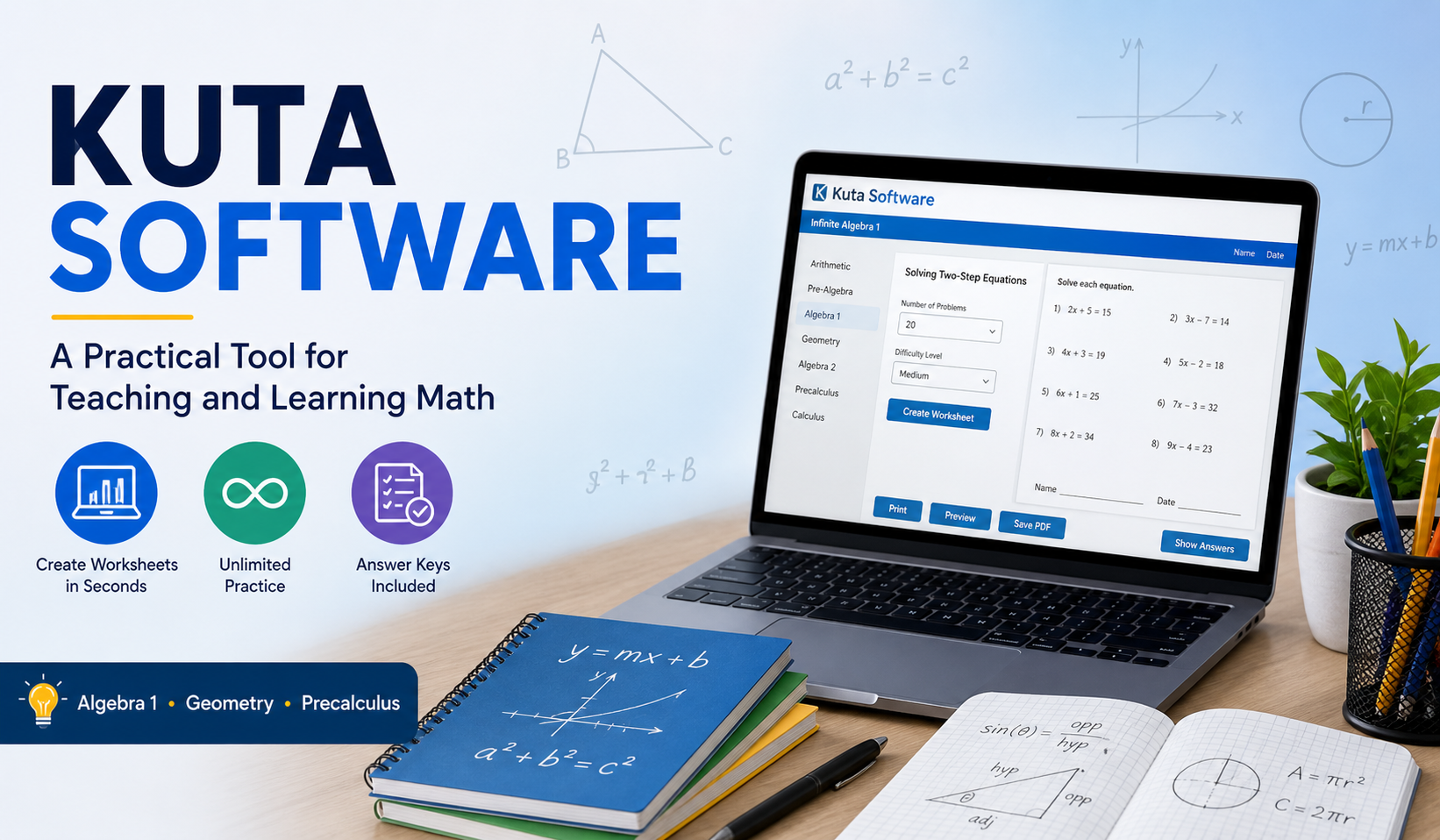
If you’ve ever tried to create math worksheets manually, you already know… it takes time. Sometimes a lot of it. And honestly, even after putting in all that effort, the questions can feel repetitive or not quite balanced.
That’s where Kuta software comes in.
It’s not a flashy tool. It doesn’t try to do everything. But for one specific job—creating math practice—it works surprisingly well. Teachers use it. Tutors rely on it. Even students use it on their own when they need extra practice.
In this article, I’ll explain what it is, how it works, and why tools like kuta software infinite geometry, kuta software infinite precalculus, and kuta software infinite algebra 1 are still widely used.
What is Kuta Software?
Kuta Software is simply a worksheet creator of math subjects. You can create a complete worksheet in seconds, instead of writing questions one at a time.
It is easy to do:
- Pick a topic
- Choose difficulty
- Click generate
- Print or save
That’s it. No complicated setup.
It covers different levels of math, from basic algebra to advanced precalculus. So whether you’re just starting or already dealing with trigonometry, there’s something useful here.
Why Kuta Software is Still So Popular
You might wonder. There are a lot of tools out there so why do people still use this one?
Well, a few reasons stand out.
- It saves time (a lot of it)
- You get unlimited question variations
- Worksheets are clean and exam-style
- It works offline, which is honestly a big plus
- Answer keys are included automatically
Also, it doesn’t overwhelm you. Some tools try to do too much. This one stays focused.
Main Programs You Should Know
Kuta Software isn’t just one tool—it’s a set of programs for different math levels. Let’s go through the most useful ones.
Kuta Software Infinite Algebra 1
This is where most students start.
It covers the basics, like:
- Solving equations
- Graphing lines
- Inequalities
- Polynomials
- Factoring
Who should use it?
This is for people who are just starting out like middle school students or for anyone who wants to get better at the basics of algebra. The basics of algebra are what this is really, about.
What makes it useful?
You can control the difficulty. So if you’re struggling, you start easy. If things feel too simple, you can increase the challenge.
Kuta Software Infinite Geometry
Geometry is different from algebra. It’s more visual, sometimes a bit tricky.
This program includes:
- Angles and lines
- Triangles and theorems
- Circles
- Area and volume
- Transformations
Why people like it:
I think this tool is really helpful because it generates questions that are based on diagrams. This is great when you are trying to understand shapes.
Best for:
Students who want structured and repeated practice in geometry.
Kuta Software Infinite Precalculus
Now this one is more advanced.
It deals with:
- Functions
- Trigonometry
- Logarithms
- Sequences and series
- Complex numbers
Who is it for?
High school students preparing for college-level math.
Reality check:
Precalculus can feel overwhelming. But with consistent practice, it starts making sense. This tool helps with that repetition.
How to Use Kuta Software (Step-by-Step)
If you’re new, don’t worry—it’s not complicated at all.
1: Install the Software
Download it from the official site and install it on your computer. It doesn’t take long.
2: Open the Program
Choose the version you need:
- Algebra 1
- Geometry
- Precalculus
3: Select a Topic
For example:
- Linear equations
- Triangle properties
- Trigonometric functions
4: Customize the Worksheet
Here’s where you can adjust things:
- Number of questions
- Difficulty level
- Type of problems
You can keep it simple or make it more challenging.
5: Generate and Print
Click generate, preview the worksheet, and print or save it as a PDF.
Done. No confusion, no extra steps.
Key Features (Explained Simply)
- Unlimited worksheets
You never run out of practice questions. - Adjustable difficulty
Great for both beginners and advanced learners. - Automatic answer keys
Saves time and helps with checking work. - Clean layout
Looks like real exam papers. - Offline use
No internet needed after installation.
Quick Comparison with Other Methods
| Feature | Kuta Software | Online Tools | Manual Worksheets |
|---|---|---|---|
| Speed | Very fast | Medium | Slow |
| Customization | High | Medium | High |
| Internet Needed | No | Yes | No |
| Effort Required | Low | Medium | High |
So yeah, Kuta kind of hits a balance between speed and control.
Who Should Use Kuta Software?
It’s actually useful for different people.
Teachers
- Create quizzes quickly
- Save preparation time
Students
- Practice weak areas
- Prepare for exams
Tutors
- Make custom worksheets for each student
Even parents sometimes use it for extra practice at home.
Tips to Use It More Effectively
Just generating worksheets isn’t enough. How you use them matters.
- Start with easier questions first
- Increase difficulty gradually
- Don’t rush—focus on understanding
- Check answers honestly (don’t just copy)
- Practice regularly, not just before exams
Small consistency beats last-minute cramming.
A Few Limitations (Being Honest)
It’s a good tool, but not perfect.
- The interface looks a bit old
- No interactive features like videos or animations
- Not mobile-friendly
But for worksheet practice, it still does the job very well.
FAQs
Is Kuta Software free?
There is usually a trial version, but full features require a paid license.
Can beginners use it?
Yes. Especially the Algebra 1 version—it’s designed for beginners.
Does it work without internet?
Yes, once installed, you can use it offline.
Is it useful for exams?
Definitely. It helps you practice in an exam-style format.
Which version should I start with?
If you’re unsure:
- Start with Algebra 1
- Then move to Geometry
- Then Precalculus
Conclusion
Kuta Software isn’t trying to impress anyone with design or fancy features. It’s simple. Maybe even a bit old-school.
But it works.
It makes questions with diagrams, which’s really helpful when you want to practice math all the time and get better little by little. If your goal is to practice math and improve step by step then tools, like Kuta Software Infinite Geometry, Kuta Software Infinite Precalculus and Kuta Software Infinite Algebra 1 can really help you with math.
Honestly sometimes that is all you need. A tool that just does its job properly without any distractions. Kuta Software Infinite Geometry and Kuta Software Infinite Precalculus and Kuta Software Infinite Algebra 1 are tools that do their job